
Minimum and Maximum Quantity for WooCommerce
🔢 WooCommerce Quantity Rules
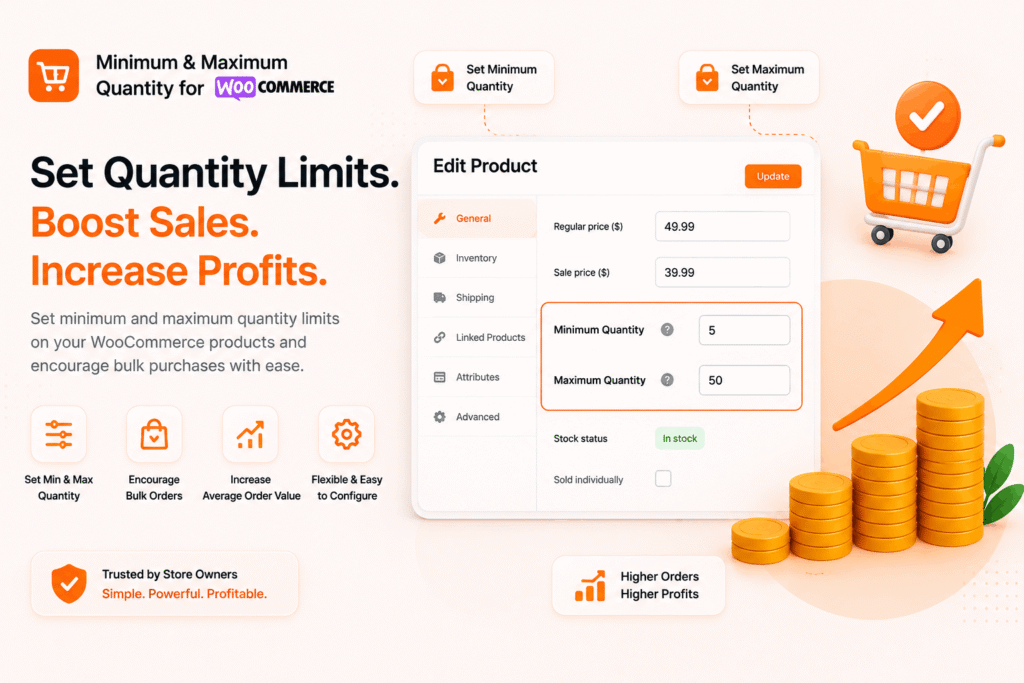
Stop losing money on undersized orders. Set smart quantity rules.
Control minimum, maximum, and step quantities per product, variation, category, and entire cart. No code. No complexity. Just rules that protect your bottom line.
✓ 30-day guarantee ✓ 5-min setup ✓ 4.9★ rated
50k+
Orders Regulated
800+
Active Stores
4.9★
Average Rating
5min
Avg Setup Time
📦 Per-Product Rules
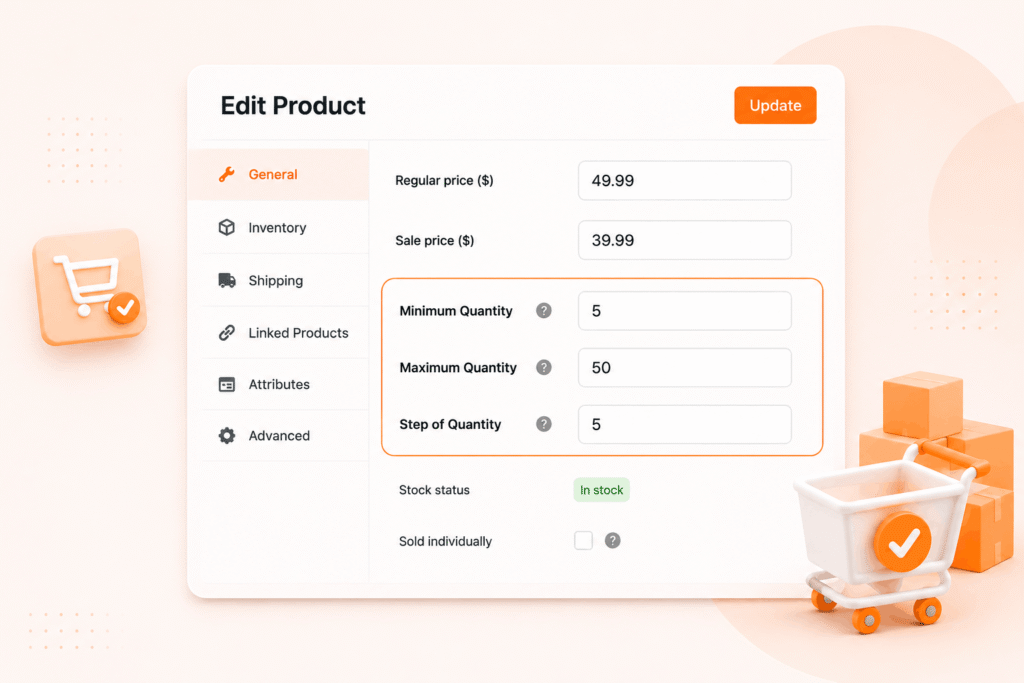
Set min, max & step quantities on any product
Define quantity limits per product, variation, or category — with a smart priority system that ensures the right rule applies every time.
- Minimum quantity — prevent undersized orders that hurt profitability
- Maximum quantity — avoid stockouts and limit promotions abuse
- Step quantity — force multiples (2, 4, 6…) for bulk or pack-based sales
- Variation-level rules — different limits for VIP, General, or Early Bird
“This plugin is a lifesaver for our B2B store. We can finally enforce minimum order quantities per product without any custom code. Setup took 5 minutes and it just works.”
Sarah K. — Wholesale Electronics
📊 Global Cart Rules
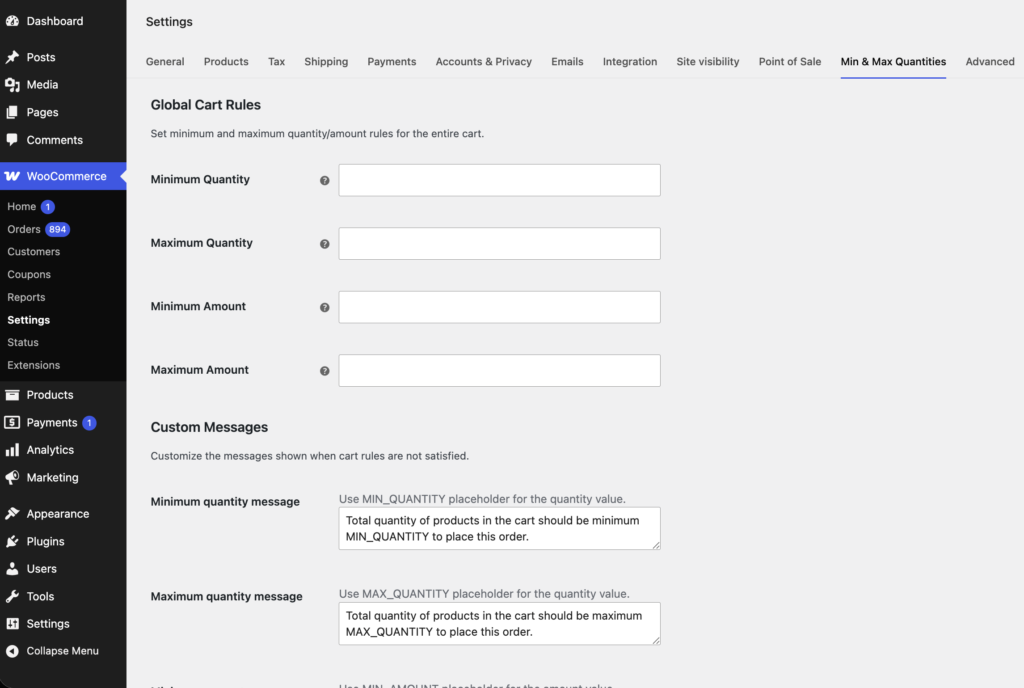
Enforce cart-wide minimums & maximums
Set global rules for the entire shopping cart — ideal for B2B stores that require a minimum order value or want to cap bulk purchases.
- Total cart quantity — enforce min/max items per order
- Total cart amount — set minimum spend thresholds ($100 minimum)
- Global + per-product — both work together seamlessly
- Real-time validation — errors appear at add-to-cart or checkout
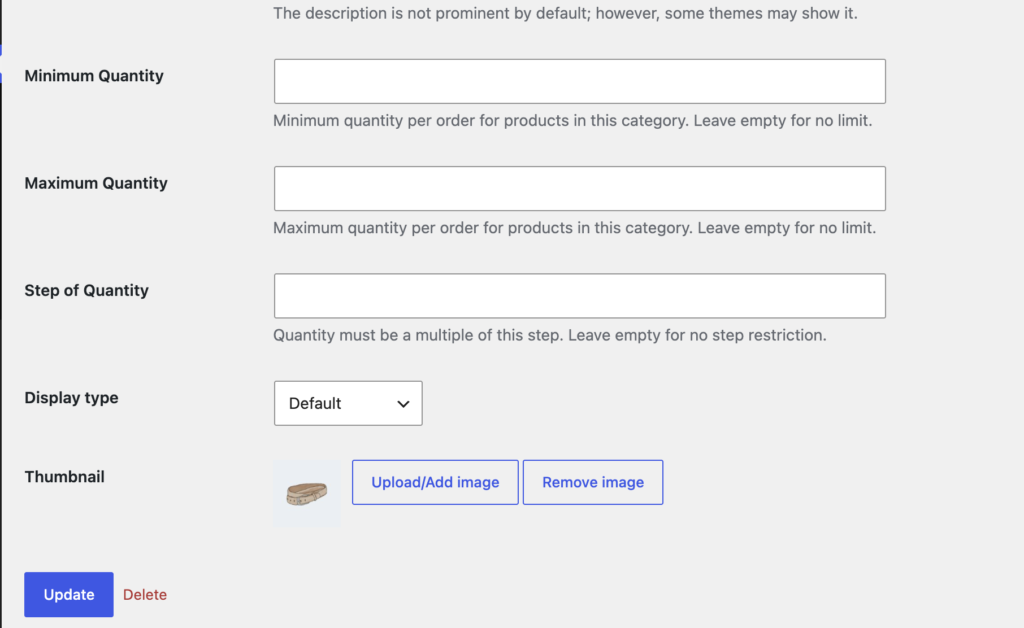
🏷️ Category-Wide Rules
Apply rules to entire categories in one click
Set quantity limits once for a whole product category. Perfect for bulk categories, seasonal collections, or wholesale tiers.
- Apply min/max/step to all products in a category
- Overridden by product-level rules (smart priority)
- Works with multiple categories per product
- Ideal for B2B, wholesale, and bulk categories
⚡ Quick Setup
Up & running in 3 simple steps
No developer needed. Under 5 minutes from install to enforcing your first quantity rule.
Install & Activate
Upload the plugin to your WordPress dashboard and activate it. No configuration wizards — you’re ready to set rules immediately.
Set Your Rules
Edit any product, variation, or category. Enter your minimum, maximum, and step quantities. Or set global rules for the entire cart.
Watch It Enforce
Customers see real-time validation when adding items to the cart. Invalid quantities are blocked with clear error messages.
✦ Everything Included
Every feature you need.
Nothing you don’t.
All features included in every plan. No upsells, no add-ons.
Minimum Quantity
Set a floor — customers cannot buy below this number. Prevents undersized orders that hurt your margins.
Maximum Quantity
Set a ceiling — customers cannot buy above this number. Prevents stockouts and limits promotion abuse.
Step (Multiple) Quantity
Force quantities in multiples (e.g., 2, 4, 6…) for bulk sales, wholesale packs, or bundle deals.
Category-Wide Rules
Apply limits to all products in a category in one click. Perfect for B2B, wholesale, or seasonal collections.
Variation-Level Rules
Different limits for each variation (VIP, General, Early Bird). Highest priority in the rule hierarchy.
Global Cart Rules
Enforce minimum/maximum total quantity and total amount for the entire cart — ideal for B2B stores.
Real-Time Validation
Customers see errors instantly when adding or updating the cart. Invalid quantities are blocked with clear messages.
Translation Ready
All strings are translatable with WPML and Polylang. Sell to international customers in their language.
100% WooCommerce Native
No external APIs. All data stays on your server. Works with any WooCommerce-compatible theme out of the box.
 Simple Pricing
One plugin. One price.
No surprises.
All features included. No upsells. 30-day money-back guarantee.
Single Site
Perfect for one store
$19
/year
- 1 site license
- All features included
- 1 year of updates
- Priority support
Up to 5 Sites
Agencies & freelancers
$29
/year
- 5 site licenses
- All features included
- 1 year of updates
- Priority support
Ten Sites
Large teams & networks
$49
/year
- Ten site licenses
- All features included
- 1 year of updates
- Priority support
★ Customer Reviews
Loved by store owners
⭐⭐⭐⭐⭐ Rated 4.9/5
★★★★★
This plugin is a lifesaver for our B2B store. We can finally enforce minimum order quantities per product without any custom code. Setup took 5 minutes and it just works.
★★★★★
We sell event tickets in packs of 4. The step quantity feature ensures customers can only buy in multiples of 4. No more odd orders — perfect for our event management.
★★★★★
Having category-wide min/max rules has completely streamlined our wholesale ordering process. We no longer get tiny orders from our B2B customers.
? FAQ
Frequently asked questions
Do I need coding skills to set up the rules?
No. All rules are set via simple number fields in the product, variation, and category edit screens. No code required. Just enter your numbers and save.
Does it work with variable products?
Yes. You can set different rules for each variation, or let the parent product rules apply. Variation-level rules have the highest priority.
What happens if a product has both product-level and category-level rules?
Product-level rules always win. Category rules are only used if the product has no rules of its own. This gives you fine-grained control at every level.
Can I set a global minimum cart quantity?
Absolutely. The global cart rules let you enforce a minimum and maximum total quantity (or total amount) for the entire cart. Ideal for B2B minimum order requirements.
Does this work with my existing WooCommerce theme?
Yes. The plugin integrates directly with WooCommerce’s native hooks and does not require a specific theme. It works with all major WordPress themes.
Is there a money-back guarantee?
Yes — we offer a full 30-day money-back guarantee. If the plugin isn’t right for you, contact support within 30 days of purchase for a complete refund, no questions asked.
Can I set different rules for different user roles?
Yes! The plugin supports role-based pricing with its global cart rules. You can set different minimum and maximum quantities for wholesale customers vs retail customers.
🚀 Get Started Today
Ready to take control
of your quantities?
Join hundreds of store owners already using KP Min Max Qty to enforce smart quantity rules — and boost their bottom line. Set up in under 5 minutes.
✓ 30-day money-back guarantee · ✓ Instant download · ✓ All features included