Let’s be honest: you didn’t start your eCommerce empire to become a data entry clerk. You started it to build something of your own, to connect with customers, and to grow a business you’re proud of.
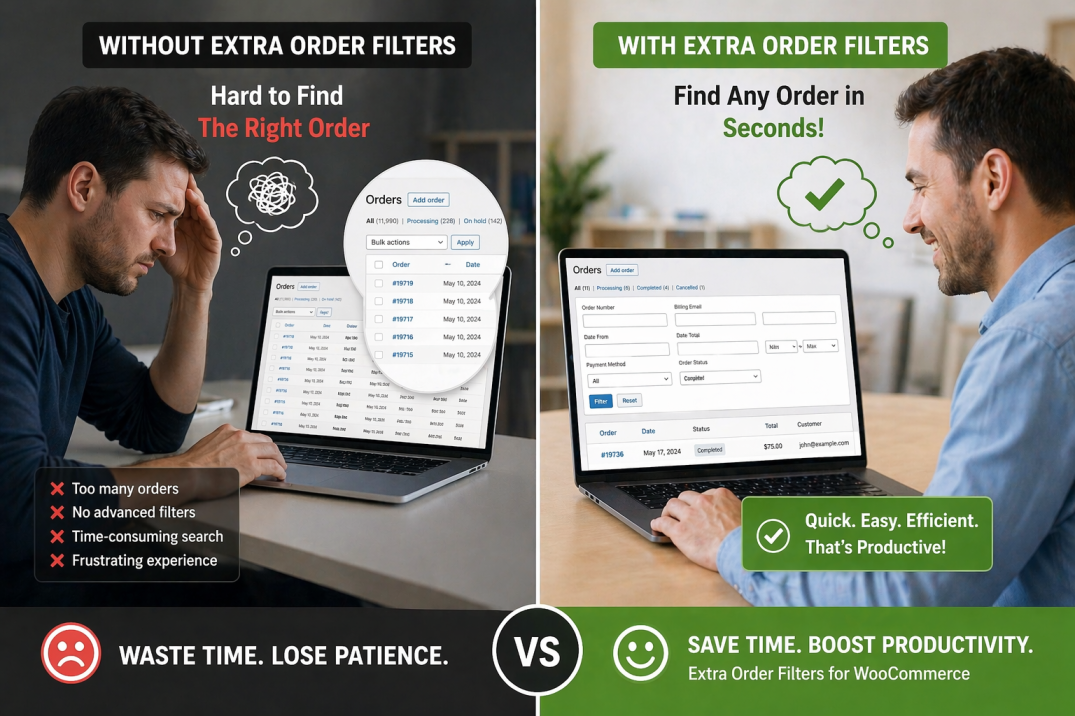
But then, somewhere between processing your 100th and 1,000th order, something happened. The thrill of the “New Order” notification faded. It was replaced by the soul-crushing reality of the WooCommerce orders page: an endless, single-column list of customer names, order totals, and statuses, all jumbled together.
You’re not alone. For years, the biggest complaint from WooCommerce merchants has been a sluggish and unhelpful admin panel—especially when trying to manage thousands of orders or products. You need to find all the orders from a specific country to troubleshoot a shipping issue, or you need to pull every single order that used a coupon code for a marketing report. What should be a 30-second task turns into a 30-minute manual scavenger hunt, and frankly, you have better things to do.
I’ve been there. I used to think this was just “part of the job.” I’d set aside entire afternoons just to filter, sort, and organize orders. Then I realized I was spending nearly 5 hours a week doing nothing but admin work. That’s 20 hours a month. That’s time I could have spent on marketing, product development, or, you know, actually having a life.
The Hidden Cost of a Bad Workflow
This isn’t just about your time. A clunky backend creates a cascade of problems that eat into your profits and peace of mind:
-
Missed Opportunities: When you can’t quickly identify orders with a specific product, you can’t proactively notify customers about a related recall or a new, complementary accessory. A one-second delay in a process can drop conversions by 7%.
-
Data Blind Spots: Want to know how your “SUMMER20” coupon performed among wholesale customers in Canada? Without the right tools, you’re stuck manually cross-referencing spreadsheets or just giving up.
-
Operational Nightmares: Delays in order updates, inventory mismatches, and inconsistent customer data are common challenges that can cost you thousands in lost revenue.
-
The Scaling Ceiling: As your store grows, the problem gets exponentially worse. The legacy way WooCommerce stored data wasn’t built for scale. It used to cause massive performance drops as order volume grew, making it difficult to manage stores beyond a few thousand orders.
But then, I found a better way.
What if I told you there’s a single, simple tool that can give you superpowers over your order data—without slowing down your site or costing a fortune? What if you could, with just a few clicks, ask your store questions like:
-
“Show me all Cash on Delivery orders over ₹500 that are still pending.”
-
“Show me every order from the USA that used Free Shipping.”
-
“Show me all wholesale customer orders that included Product X.”
-
“Show me orders placed with the ‘LAUNCH20’ coupon code.”
And what if the answer appeared instantly?
This is the exact value proposition of the Extra Order Filters for WooCommerce plugin, and it’s the secret weapon I now install on every single WooCommerce store I build.
Enter Your New Order Admin Superpowers
For just $39, this plugin transforms your sluggish WooCommerce orders page into a powerful, searchable database that works exactly how your brain does. It adds a sleek, intuitive row of filters right above your orders table, giving you the ability to slice and dice your data in ways that are simply impossible with the default WooCommerce setup.
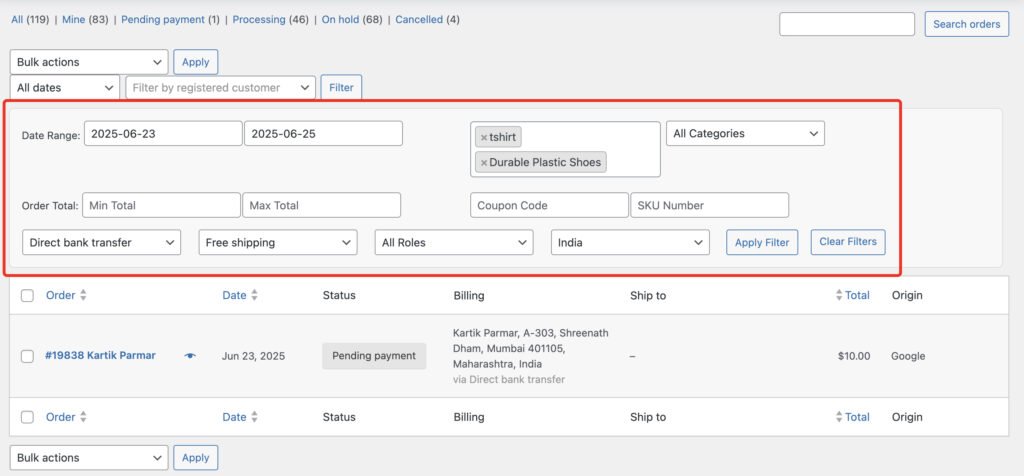
You can instantly filter orders by:
-
Date Range: Drill down to a specific start and end date.
-
Products & Categories: Find all orders containing a specific product or any product from a particular category.
-
Min/Max Order Total: Identify high-value or low-value orders in a snap.
-
Shipping Method: See all orders that used “Flat Rate” or “Free Shipping”.
-
Payment Gateway: Filter by “Stripe,” “PayPal,” “Cash on Delivery,” etc..
-
User Roles: Isolate orders from “Customers,” “Subscribers,” or custom “Wholesale” roles.
-
Country: View all orders from a specific billing country.
-
Coupons: Track the performance of any coupon code.
-
SKUs: Search by product SKU for precise inventory tracking.
The best part? These filters can be used individually or combined to create hyper-specific queries. Need to find all orders from a specific country that used a certain coupon and include a particular product? You can do it in seconds.
Real-World Magic: How Store Owners Use It
This isn’t just a list of features. It’s a toolkit for solving real business problems. Here are just a few of the ways it changes the game, as highlighted in the plugin’s documentation:
-
The “Product Recall” Emergency: A supplier informs you that a specific SKU (#TSHIRT-001) has a defect. Instead of a day-long panic, you use the SKU Filter to instantly pull up every affected order, export the list, and proactively email each customer with an apology and a solution. You just saved your brand’s reputation.
-
The Cash-on-Delivery Conundrum: You notice a high rate of failed COD deliveries. To mitigate risk, you want to review all COD orders over a certain value before they ship. Use the Payment Gateway filter (COD) plus the Min/Max Order Total filter. Now you can bulk-manage those orders quickly and efficiently.
-
Wholesale Client Reporting: A major wholesale client asks for a year-end summary of all their purchases. Instead of a painful manual process, you simply apply the User Role filter set to “Wholesale Customer.” Your report is ready in seconds.
-
Marketing Campaign Analysis: You just ran a big promotion using the coupon “BLACKFRIDAY.” To gauge its success, apply the Coupons filter. You can instantly see the total number of orders, average order value, and even export the list for further analysis.
Won’t This Slow Down My Store?
This is the question I get asked the most, and it’s the most important one. The short answer is: No, absolutely not.
The plugin is performance-optimized from the ground up. It uses smart SQL queries that are designed to prevent the loading of unnecessary data. It works efficiently even on stores with massive order volumes.
Crucially, it is also fully compatible with WooCommerce High-Performance Order Storage (HPOS) , the new database architecture that makes order management up to 5x faster and 40x faster for filtering. You get the speed benefits of HPOS combined with the unparalleled filtering power of this plugin.
What About Developers and Power Users?
If you’re a developer or you work with one, there’s even more to love. The Extra Order Filters plugin includes full support for the WooCommerce REST API.
This means you can programmatically filter orders using all the plugin’s capabilities. You can build custom dashboards, integrate with third-party fulfillment services, or create automated reports that pull exactly the data you need. The plugin exposes parameters like eofw_product, eofw_sku, eofw_category, and many more for ultimate flexibility.
Take Back Your Time and Sanity
You’ve spent countless hours building your store. You’ve poured your heart into your products, your brand, and your customer relationships. You shouldn’t have to spend your days wrestling with a clunky, one-dimensional admin panel.
For less than the cost of a single dinner out, you can reclaim 5+ hours of your week and eliminate one of the biggest, most persistent frustrations of running a WooCommerce store.
The Extra Order Filters for WooCommerce plugin is the simple, powerful, and affordable upgrade your store deserves.
👉 Ready to stop digging through your orders and start managing them?
🔥 GET EXTRA ORDER FILTERS FOR WOOCOMMERCE NOW FOR JUST $39 🔥
*P.S. It comes with a 30-day money-back guarantee, so you can try it risk-free. Install it, use it to clean up your orders page in 5 minutes, and you’ll wonder how you ever managed without it.*