Picture this.
It’s 7:45 PM. Your event doors open in 15 minutes. There’s already a line of 200 excited attendees snaking around the block. Your staff is ready. The venue looks perfect. The energy is electric.
Then it happens.
The first guest walks up, flashes their phone, and says, “I bought four tickets, but I can’t find the email.”
Your volunteer at the door freezes. They don’t have a printed guest list because you thought the QR codes would “just work.” They start manually searching a spreadsheet on their phone. The line stops moving. People start checking their watches. Someone tweets, *”Great event, terrible check-in. Been in line 30 mins.”*
Just like that, months of planning and thousands in ticket sales are overshadowed by a 90-second bottleneck at the door.
If you sell event tickets, workshops, classes, tours, or experiences through WooCommerce, you know this fear intimately. The default WooCommerce setup treats a ticket like a t-shirt—once it’s “shipped,” the system forgets it exists. There’s no native way to know who actually showed up, who’s inside right now, or whether the person waving that PDF is the original buyer or someone who screenshot it from Instagram.
This is the exact problem I watched a client lose sleep over. And it’s the exact problem that QR Code Tickets & Check-in for WooCommerce was built to solve.
The Hidden Costs of a Manual Check-in Process
Before we dive into the solution, let’s talk about what “just using a spreadsheet and hope” actually costs you:
| The Problem | The Real Cost |
|---|---|
| Fraudulent Entry | Someone screenshots a ticket and shares it with 5 friends. Without real-time validation, you lose 5 ticket sales and capacity for paying customers. |
| Capacity Confusion | You sold 500 tickets, but only 380 are inside. Are the other 120 still coming, or did they bail? You can’t release standby tickets because you have no live headcount data. |
| Staff Friction | Your check-in staff is stressed. They’re dealing with blurry screenshots, dead phone batteries, and angry customers who “definitely bought a ticket.” This is the face of your brand. |
| Zero Re-Marketing Data | Who actually attended vs. who just bought? If you can’t segment “Attendees” in your email list, you can’t sell next year’s early-bird tickets effectively. |
| Support Overload | Your inbox fills up with “I can’t make it, can my friend use my ticket?” emails the week before the event. |
A Real Business Story: How One Venue Transformed Their Operations
Let me tell you about Marcus.
Marcus runs a small comedy club in Austin, Texas. Capacity: 120 seats. Shows: Thursday through Sunday. Ticket price: $25-40.
For the first year, Marcus used a basic PDF ticket plugin. It generated a ticket with a name on it. That was it. At the door, his staff had a printed spreadsheet with 120 names. When someone arrived, they’d manually cross-reference the name on the ticket with the spreadsheet and highlight it.
Here’s what actually happened:
-
Fraud became rampant. People discovered they could just edit the name in the PDF before printing. Marcus estimates he lost 15-20 paid entries every weekend—that’s roughly $3,000 a month in stolen revenue.
-
The line was always slow. It took 20-30 seconds per person to find a name on paper. With 120 people, that’s nearly an hour of cumulative wait time.
-
No-shows were a mystery. On a sold-out Friday show, 40 people wouldn’t show up. But Marcus couldn’t release those seats to the standby line because he had no way of knowing they weren’t coming until the show started.
-
Customer transfers were a headache. Every “I can’t make it” email required Marcus to manually update a spreadsheet and email a new PDF. During the week of a big headliner, he’d spend 2-3 hours just handling ticket transfers.
Then Marcus installed QR Code Tickets & Check-in for WooCommerce.
Here’s how his operations changed overnight:
At the Door:
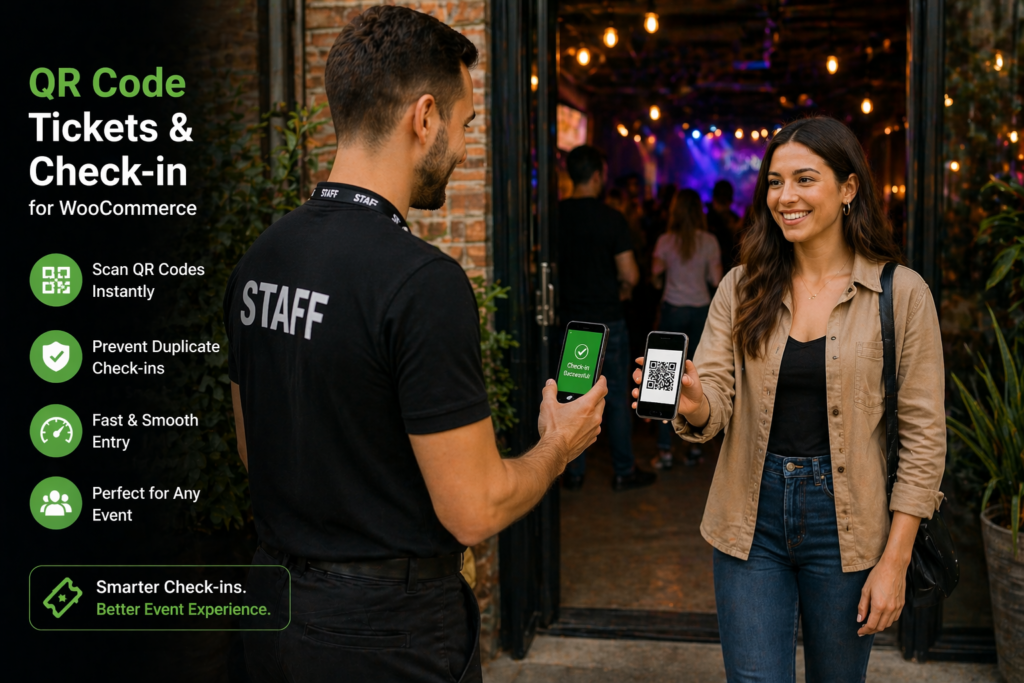
Marcus bought a $200 Android tablet, created a “Door Staff” user role in WordPress, and handed it to his team. Now, when a guest arrives, the staff member simply points the tablet camera at the QR code on the customer’s phone. Beep. The screen flashes green with the customer’s name. Check-in complete. Time per person: 3 seconds.
Fraud Eliminated:
The plugin validates every QR code against the live database in real-time. If a ticket has already been scanned, the screen flashes red and says “Already Checked In.” If someone tries to use a screenshot of a ticket that’s already been used, it’s rejected instantly. Marcus’s weekend revenue jumped immediately.
Live Headcount:
Mid-show, Marcus can glance at the dashboard and see: *”Checked In: 94 / Total Sold: 120.”* He knows 26 people aren’t coming. He can now confidently release those 26 seats to the standby line, filling the room and selling more drinks.
Self-Service Transfers:
Customers can now transfer tickets to friends directly from their “My Account” page on Marcus’s website. They click “Transfer Ticket,” enter the friend’s email, and the system handles everything—updating the ticket ownership and sending a new email automatically. Marcus’s support inbox for ticket issues has dropped to near zero.
The Result:
Marcus now spends approximately 15 minutes per week on ticket administration (down from 6-8 hours). His revenue per show has increased by selling standby seats. His staff is happier and less stressed. And his customers have a smooth, professional experience from purchase to entry.
Enter the Command Center: QR Code Tickets & Check-in for WooCommerce
This isn’t just a “ticket PDF generator.” This is a complete, end-to-end event management system that lives inside your WooCommerce dashboard. It transforms your store from a simple sales cart into a professional box office with real-time gate control.
For just $39 (limited time before price increase to $69), here’s exactly what you get.
📋 Complete Feature List: Everything This Plugin Can Do
This is the comprehensive list of every capability available in QR Code Tickets & Check-in for WooCommerce. Whether you’re running a small workshop or a multi-day festival, this is your toolkit.
🎟️ Ticket Generation & Delivery
-
Automatic QR Code Generation: Unique, cryptographically secure QR codes for every single ticket.
-
Multiple Ticket Templates: Six professionally designed templates included—Classic Stub, Concert Night, Theatre Grand Playbill, Adventure Park, Jungle Safari, and Professional Dark Edition.
-
Custom Template Builder: Design your own ticket layout using HTML and CSS directly in the WordPress admin panel. Full support for merge codes to inject dynamic ticket data.
-
Email Integration: Tickets are automatically attached to WooCommerce order confirmation emails. Fully customizable email template with ticket information block.
-
My Tickets Page: Customers can view and download all their tickets from a dedicated “My Tickets” section in their WooCommerce “My Account” area.
-
Configurable Order Status: Choose which order status (Processing, Completed, etc.) triggers ticket generation.
🚪 Check-in Operations (The Gate Experience)
-
QR Code Camera Scanner: Turn any tablet or smartphone into a professional ticket scanner using the built-in camera scanner. No external hardware required.
-
Four Check-in Modes:
-
Single Check-in (one-time entry)
-
Single Check-in with Exit (track entries and exits for real-time headcount)
-
Multiple Check-ins (unlimited re-entry)
-
Multiple Check-ins with Exit (full tracking for multi-day or flexible events)
-
-
Manual Check-in: Staff can manually check in a ticket from the admin panel by searching for the customer’s name or order number.
-
Bulk Check-in: Check in all tickets for an order with a single click.
-
Mini Printer Support: Print compact ticket stubs on 58mm or 80mm thermal receipt printers directly from the ticket listing or order page. Perfect for wristband distribution or physical stubs.
-
Check-in Allowed Roles: Restrict who can scan tickets. Create dedicated “Gate Staff” or “Volunteer” roles that only have check-in permissions—no access to other admin areas.
🛡️ Security & Fraud Prevention
-
Real-time Validation: Every scan is validated against the live database. Duplicate scans are rejected instantly.
-
Mark Ticket as Invalid: Manually invalidate any ticket suspected of fraud or associated with a chargeback. Invalid tickets will not scan.
-
Activity Logs: Complete audit trail of every action—ticket creation, email sent, check-in time, who performed the check-in, and more.
-
Webhooks: Connect to external services like Zapier, Slack, or custom applications. Trigger automations when a ticket is created, checked in, or marked invalid.
👤 Customer Self-Service
-
Ticket Transfer: Customers can transfer tickets to friends or family directly from their “My Account” page. The new recipient receives an email with the updated ticket, and the original ticket is invalidated.
-
My Tickets Dashboard: Customers see all their purchased tickets in one place with clear status indicators (Upcoming, Checked-in, Expired).
📊 Administration & Reporting
-
Ticket Listing Table: Central hub for managing all tickets across all events. Includes:
-
Search by customer name, email, order number, or ticket ID
-
Filter by product, date, status, and check-in status
-
Sort by any column
-
Bulk actions (check-in, export, etc.)
-
-
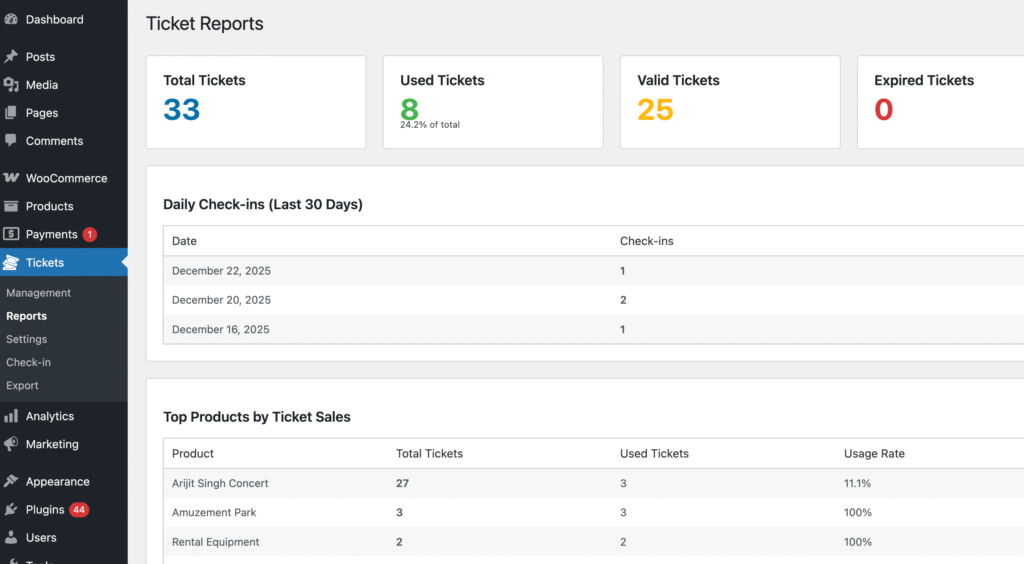
Dashboard Statistics Widget: At-a-glance metrics on total tickets sold, checked-in count, and pending check-ins.
-
CSV Export: Export filtered ticket data for reporting, promoter handoffs, or offline analysis.
-
Product-level Ticket Settings: Configure ticket validity, check-in modes, and instructions on a per-product basis.
-
Bulk Settings: Apply ticket settings to multiple products at once—all products, specific categories, or hand-picked individual products.
🔌 Integrations & Compatibility
-
WooCommerce Bookings Compatible: Full integration with the WooCommerce Bookings plugin. Sell time-slotted tickets (tours, classes, appointments) with complete check-in functionality.
-
Variable Product Support: Sell different ticket types (Adult, Child, VIP) from a single variable product page. Variation details appear on tickets, emails, and in the ticket listing table.
-
REST API Endpoints: Full programmatic access for developers building custom applications, dashboards, or mobile apps.
-
WordPress Role Integration: Seamlessly works with WordPress user roles for granular permission control.
🎨 Customization & Developer Features
-
Template Override System: Copy plugin template files to your theme directory and modify the HTML/CSS. Updates won’t overwrite your customizations.
-
Filter Hooks: Extensive hooks for modifying strings, adjusting email content, or altering ticket layouts programmatically.
-
Custom Email Template: Override and customize the ticket information block shown in WooCommerce order emails.
📱 Mobile & Cross-Device
-
Fully Responsive: Ticket templates, scanner interface, and admin panels work flawlessly on desktop, tablet, and mobile devices.
-
iOS & Android Compatible: QR code scanner works on all modern devices with a camera.
🏆 Who Is This Actually For?
If you answer “Yes” to any of these, you need this plugin yesterday:
-
You host workshops, yoga retreats, or cooking classes and need to know who showed up for liability or certification reasons.
-
You run a haunted house, Christmas light walk, or seasonal attraction with timed entry slots.
-
You organize conferences or networking events and want to print name badges instantly using the Mini Printer feature.
-
You manage a small music venue or comedy club and are tired of people sharing screenshots of the same ticket.
-
You sell tour tickets and want to integrate with WooCommerce Bookings.
-
You’re a developer building event sites for clients and need a reliable, feature-rich solution that you don’t have to build from scratch.
🔧 Developer Corner: Built to Be Extended
For the agencies and developers building sites for clients, this plugin is a dream. It doesn’t lock you into a rigid workflow.
-
REST API Endpoints: Full CRUD operations for tickets. Build a custom mobile app for your client if you want.
-
Template Overrides: Copy the template files into your theme folder (
/woocommerce/ticket-checkin/) and modify the HTML/CSS exactly how you want. The plugin will use your version, and updates won’t break your customizations. -
Filter Hooks: Change text strings, modify email content, or adjust the PDF layout programmatically without touching core files.
-
Webhooks: Connect to Zapier for unlimited automation possibilities—send SMS notifications on VIP check-in, log attendance in Google Sheets, post to Slack, and more.
💰 Pricing: Lock in the $39 Price Before It Increases
Right now, QR Code Tickets & Check-in for WooCommerce is available for just $39.
But here’s what you need to know: the price will be increasing to $69 in the near future. The feature set has grown significantly, and the current price doesn’t reflect the full value of what this plugin now offers—four check-in modes, ticket transfers, mini printer support, custom template builder, webhooks, and deep integrations.
If you’ve been on the fence, now is the time to buy.
You’ll lock in the $39 price forever (including all future updates), and when the price increases, you’ll already be running your events like a pro.
Stop Letting the Door Be the Bottleneck
You’ve invested too much time, money, and energy into your event to let the check-in process be an afterthought. The door is the first real physical interaction your customer has with your brand. It should feel like a red-carpet moment—smooth, fast, and professional.
The QR Code Tickets & Check-in for WooCommerce plugin handles the logistics so you can focus on the experience.
For $39, you’re not just buying a plugin. You’re buying peace of mind on event day. You’re buying back the time you used to spend manually updating spreadsheets. And you’re ensuring that the only thing trending on social media about your event is how amazing it was—not how long the line was.
👉 Ready to run your events like a pro venue?
🔥 GET QR CODE TICKETS & CHECK-IN FOR WOOCOMMERCE NOW FOR $39 🔥
P.S. This is the lowest price this plugin will ever be. The feature set has expanded dramatically, and the price will increase to $69 soon. Buy now, lock in $39 forever, and get all future updates included.